
Unlocking DJI No-Fly Zones
In the case of flights performed in restricted areas without unlocking the NFZ zone, an error message will appear in the UgCS mobile applications.
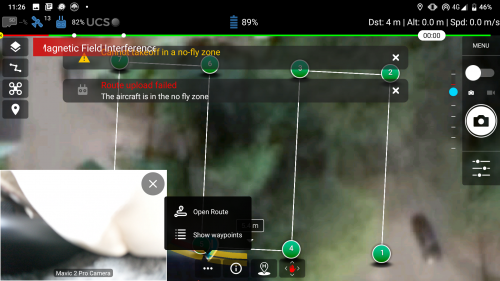
- To plan routes with UgCS in restricted areas, the NFZ has to be unlocked on the UgCS desktop. They are disabled by default, but ensure this before the next step.
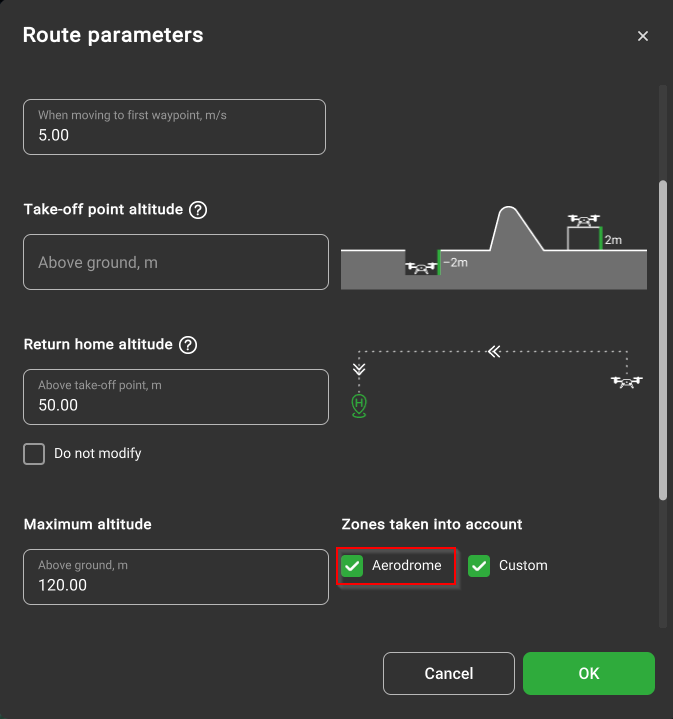
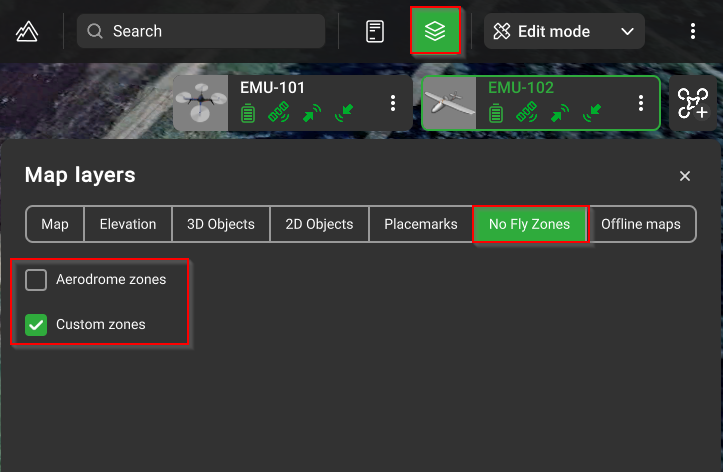
- Request NFZ zone unlock on DJI website:
- Open Safe Zone Unlock and log in to the account. Choose the Unlock Request section from the top bar of the website. At this point, you should see all your requests and their validity status.
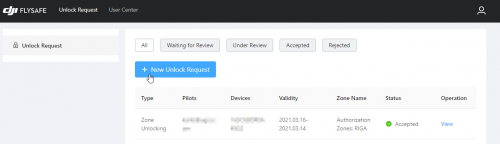
- Click “New Unlock Request” and proceed with Zone Unlocking. Select device and pilot details from the drop-down menu or add a new device and pilot for the request.
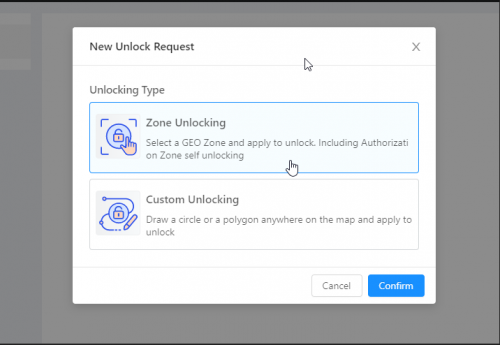
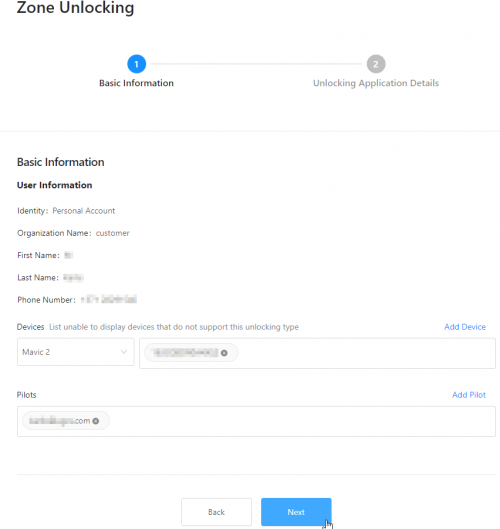
After the requestor has provided all the details, it will be available to choose the restricted zone.
NOTE: There are different zones, and for each type of zone, different rules apply for unlocking. In our example, we used a zone with the colour blue. For other zones, it may be required to receive permission from your local government institutions.
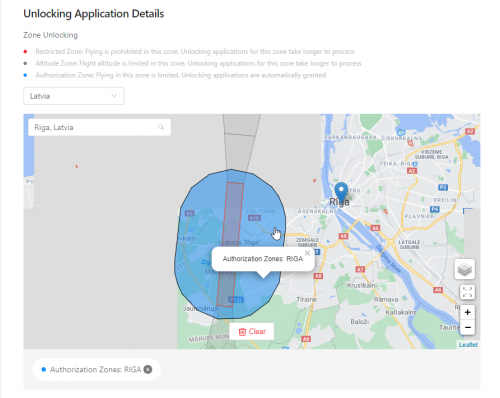
- Choose the correct zone and the time range, and add a reason for unlocking.
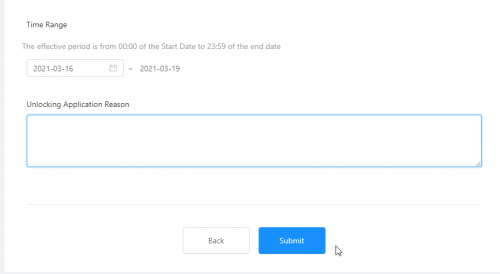
- Now, the request is available in the list of “Zone requests”.
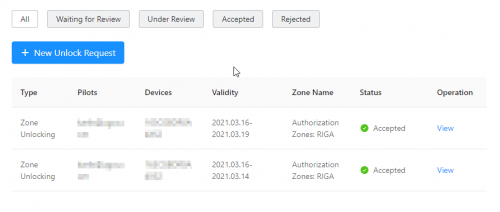
- As soon as the zone has the status “Accepted”, it is available for upload to the drone via the DJI application.
- Power on your DJI drone and connect it to the DJI Go4/Pilot Application.
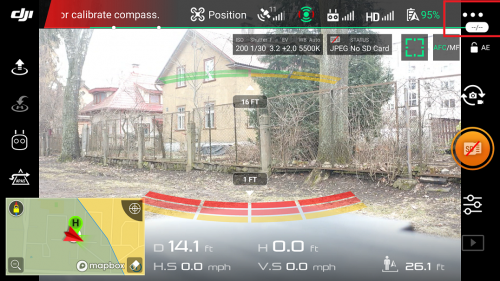
- Choose the “General Settings” menu and scroll down to the “Flight restrictions” section.
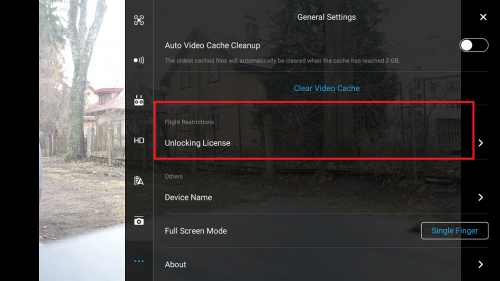
- Open Unlocking License and import the unlocked restriction to the aircraft.
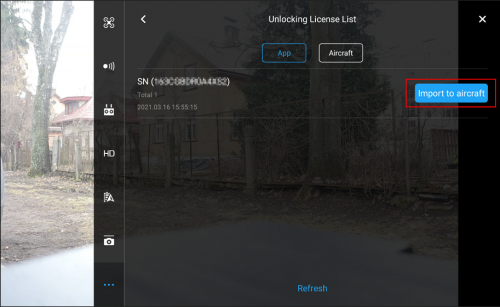
- In case of a successful import, a message is displayed.
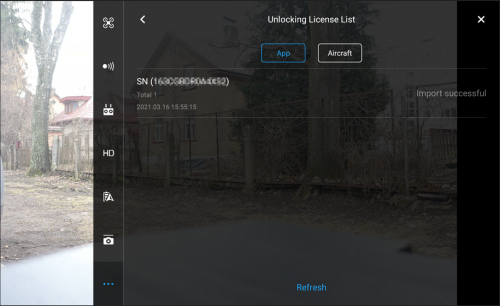
- The restricted zone will now appear in the Aircraft section as enabled.
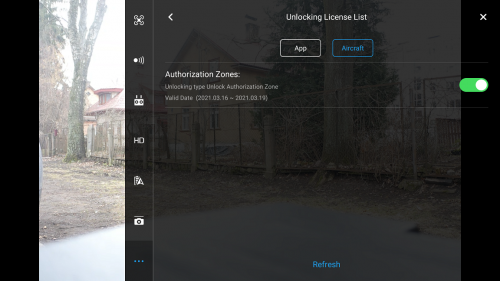
- The prompt message will display. Close the DJI Go4 application. NFZ settings will be saved on autopilot.
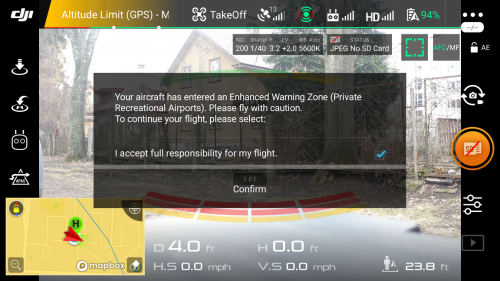
-
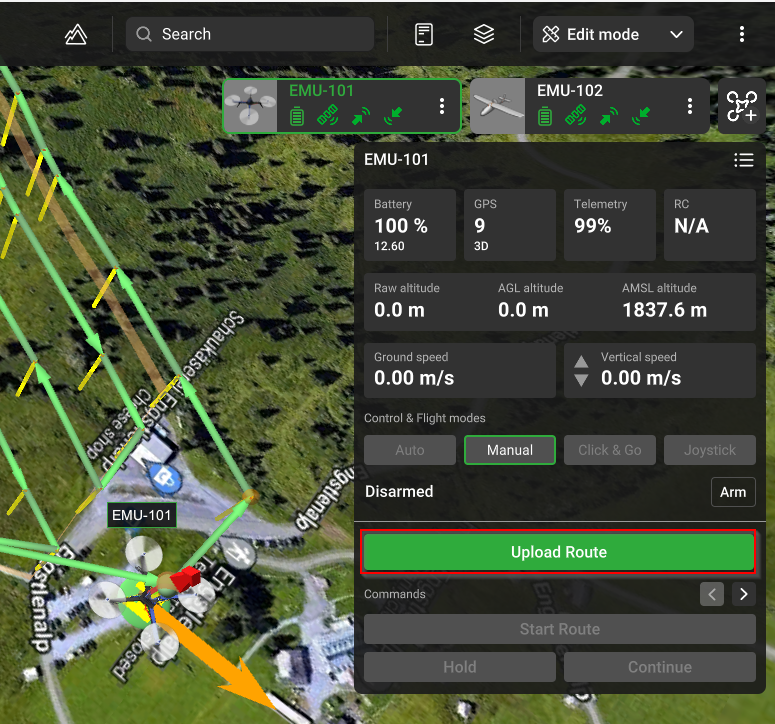
Run UgCS desktop software and any of UgCS mobile applications. Make sure your drone has an established connection between UgCS for DJI and UgCS desktop.
-
Upload the route to the drone.
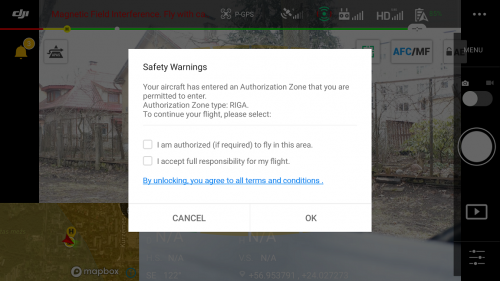
It is possible to enable the blue-colored DJI authorisation zones directly in the DJI Pilot app by performing a liftoff movement on your RC. After performing a liftoff movement, a message in the DJI Pilot app will appear. Please note that this is a one-time scenario and not recommended to request zone unlock before the flight.
Updated about 1 month ago
Did this page help you?