
Route export to the DJI Pilot 2
UgCS allows exporting routes as WPML files (in *.KMZ format), which can then be imported directly into DJI Pilot 2.
To do so:
-
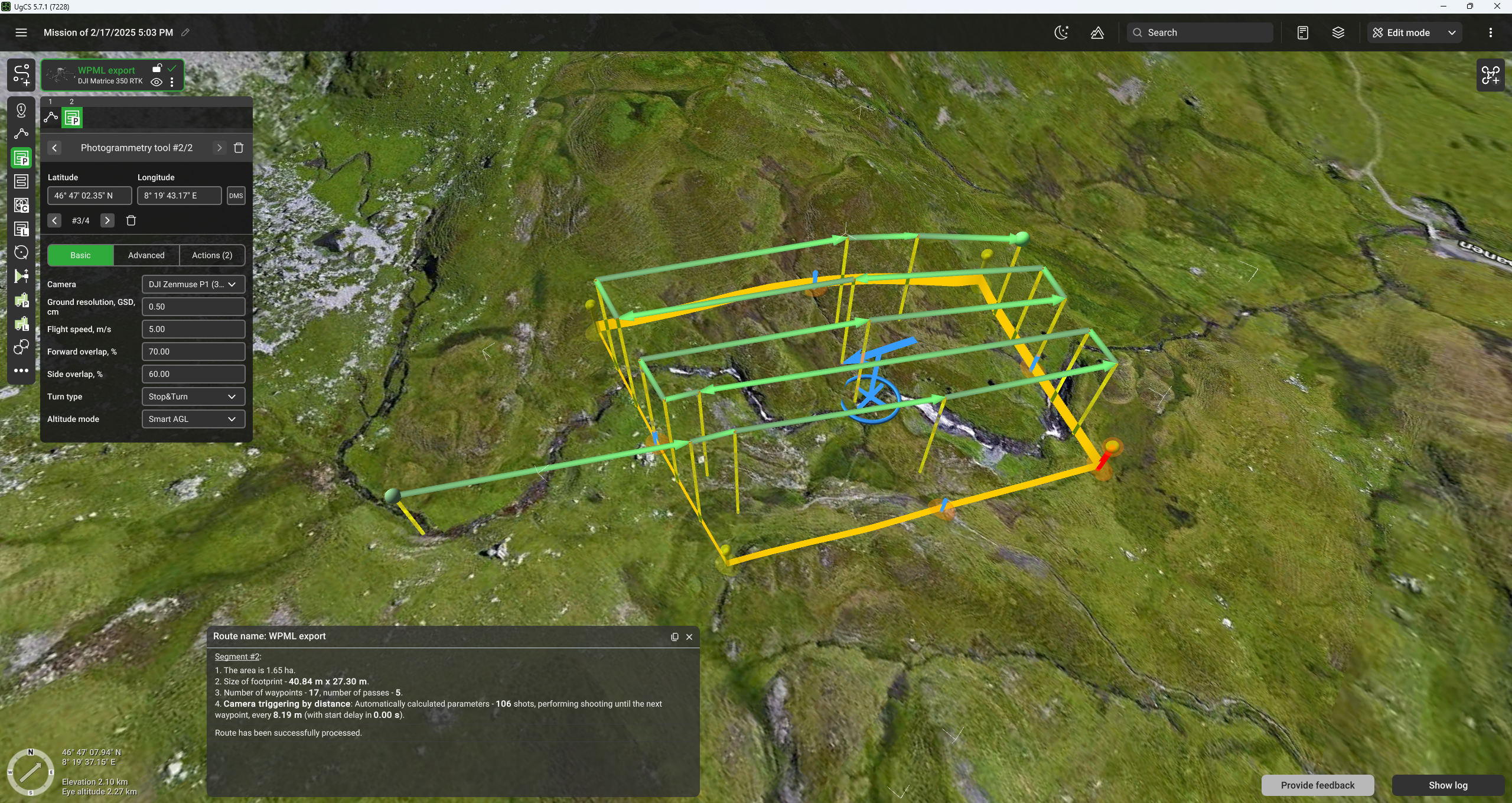
Create a route in UgCS Desktop;
-
Export route:
-
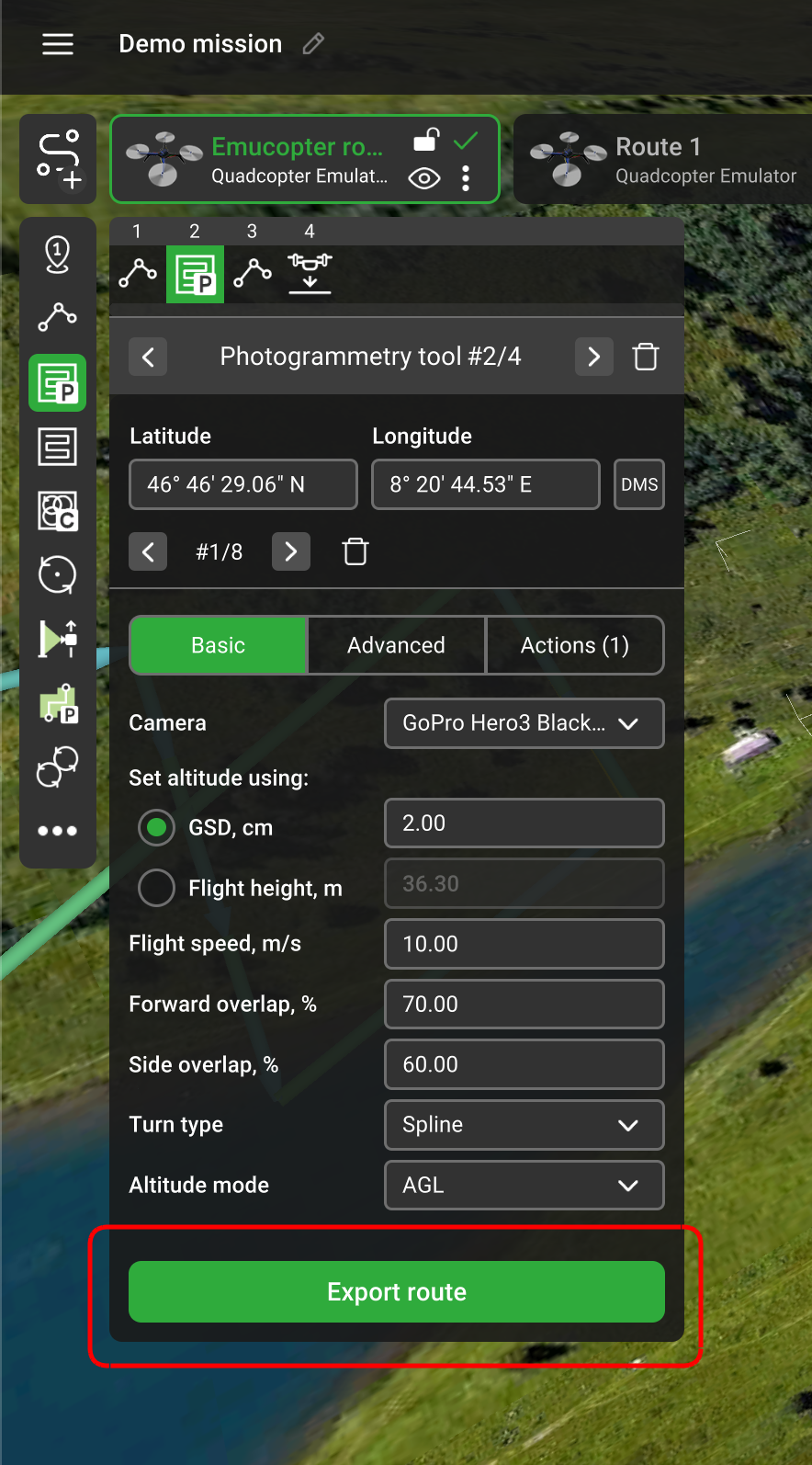
Click the "Export route" button in the segment inspector window
-
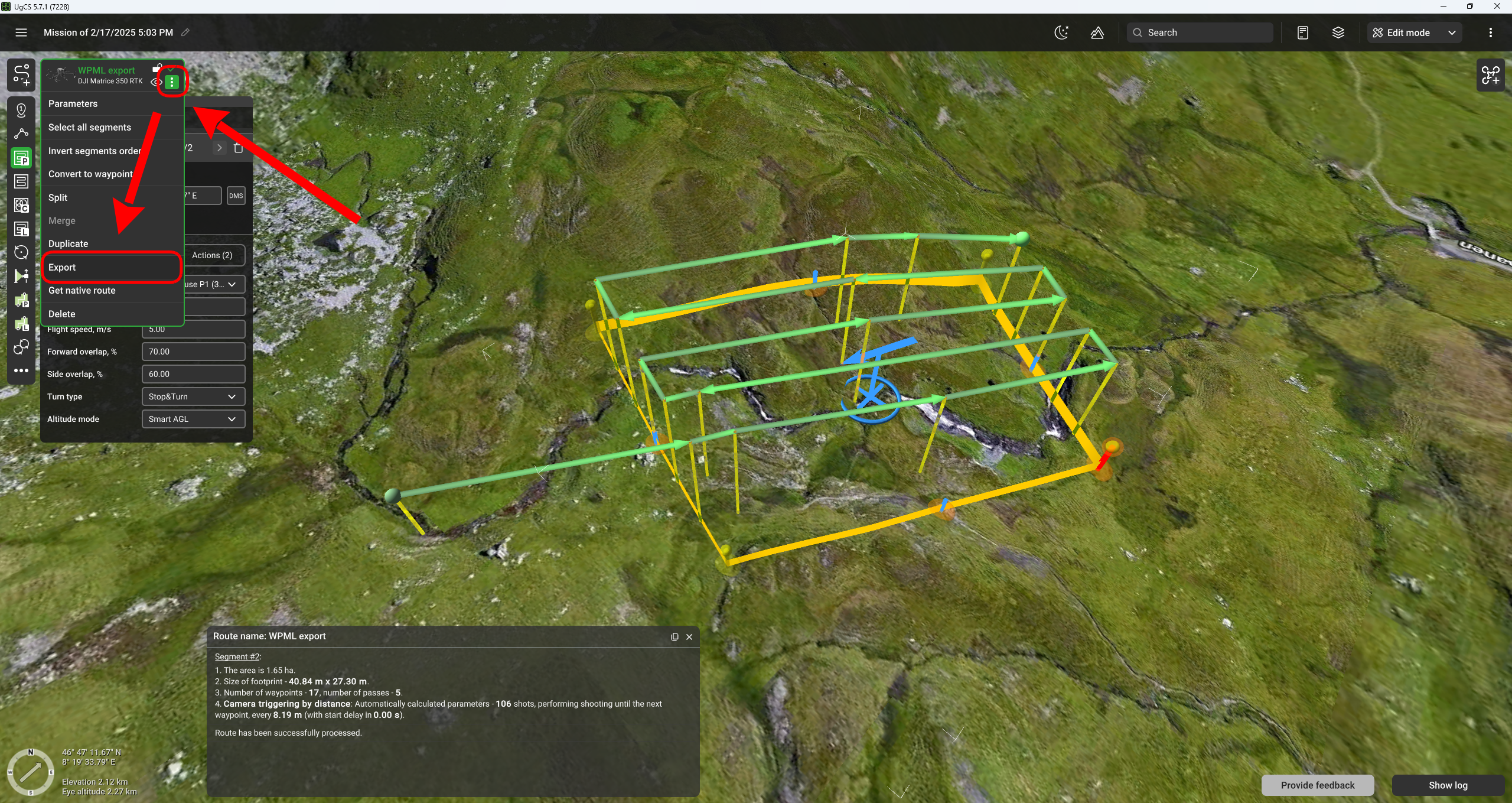
Open the route menu and select the "Export" option:
-
-
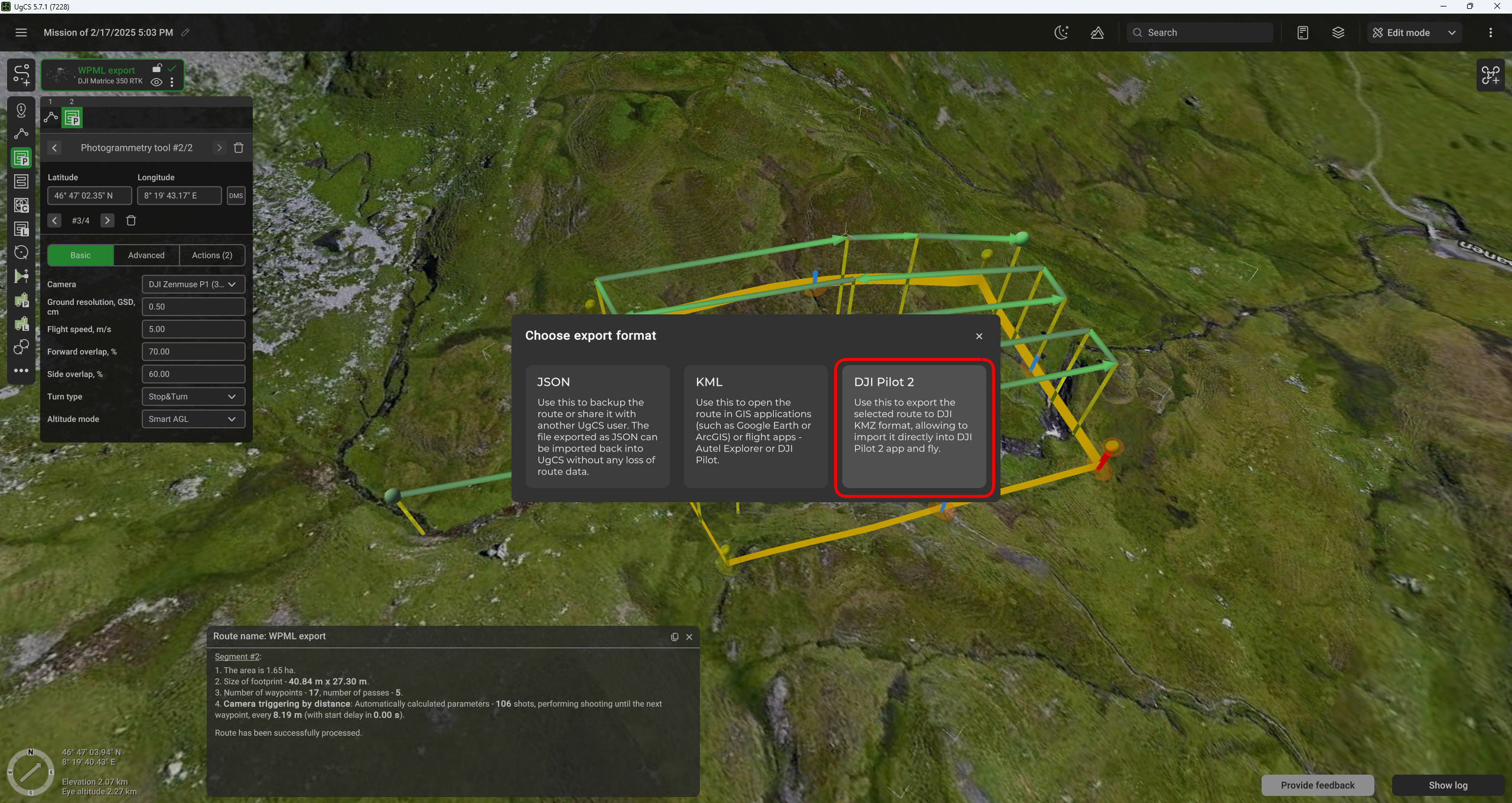
Choose the "DJI Pilot 2" option in the pop-up window;
-
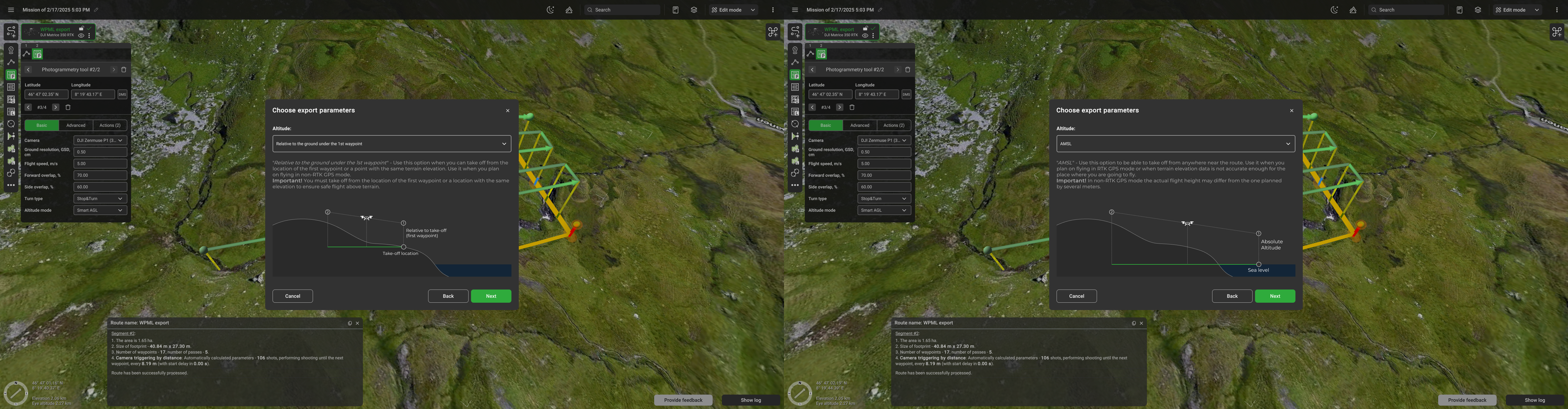
Select the Altitude mode depending on your workflow;
-
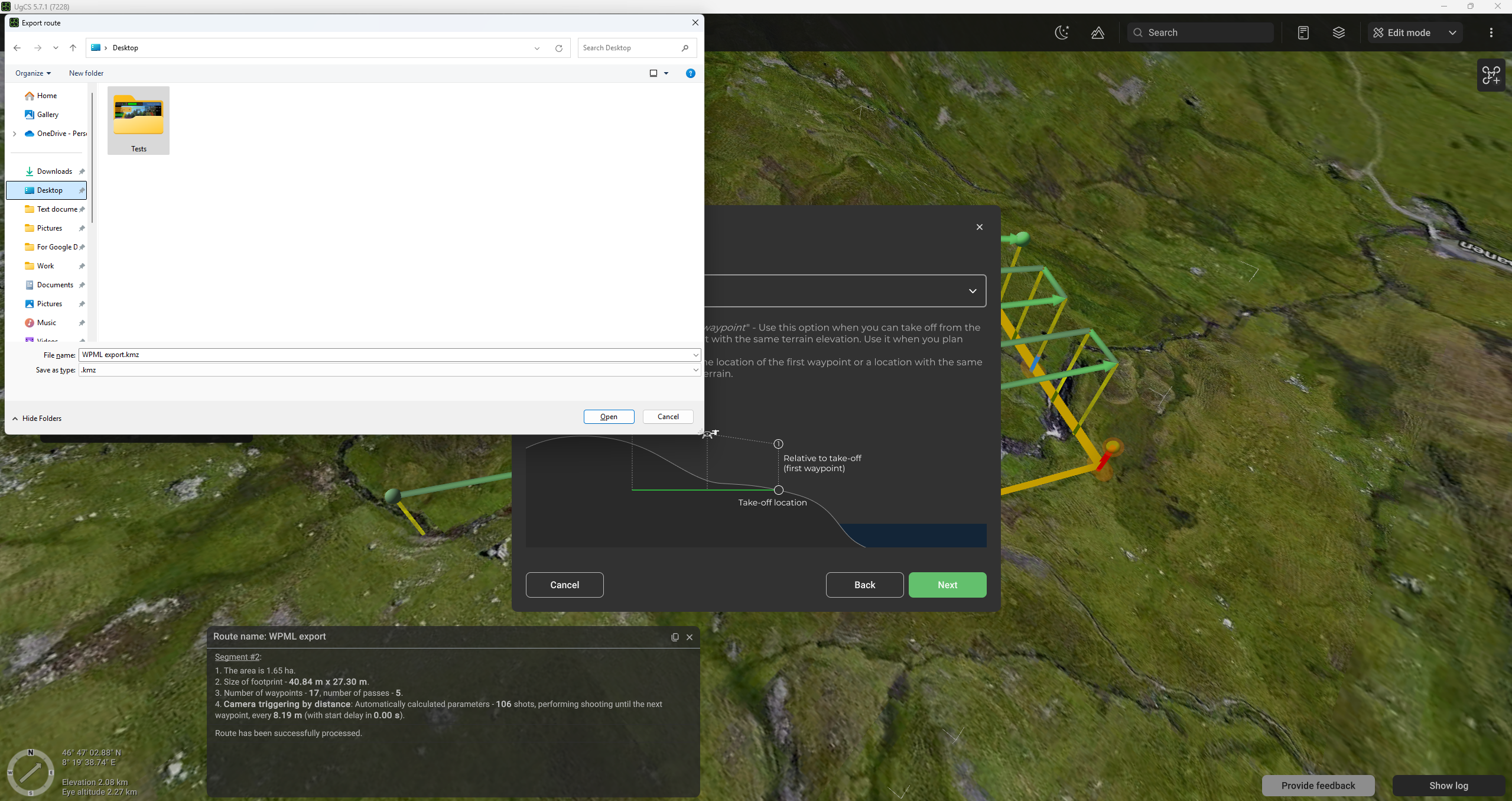
Indicate the file destination folder;
-
Transfer the file to the RC. It may be done either by connecting the RC to the computer using the USB cable or by using the SD card;
-
Launch the DJI Pilot 2 application on the RC;
-
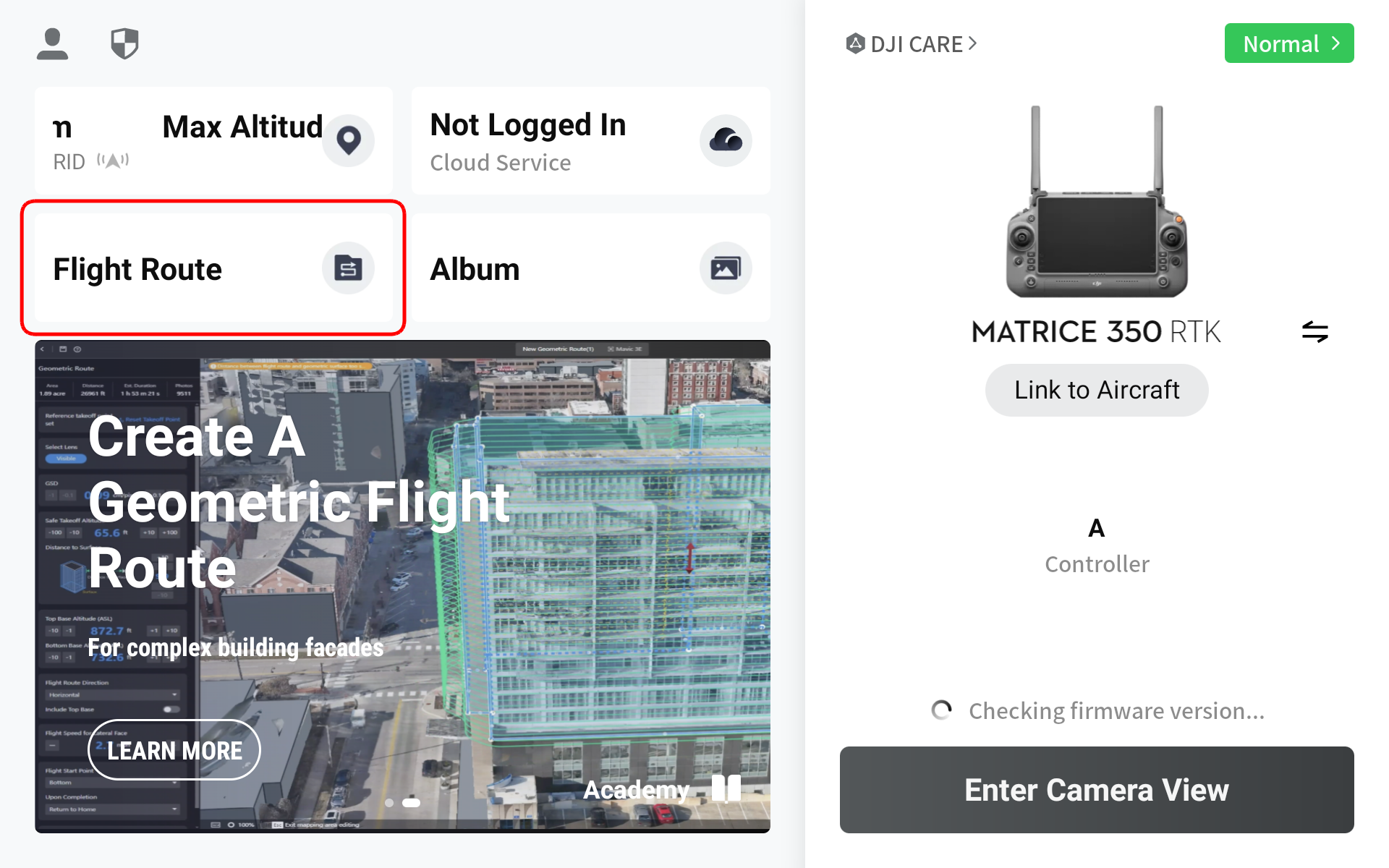
Select the "Flight Route" option from the home screen;
-
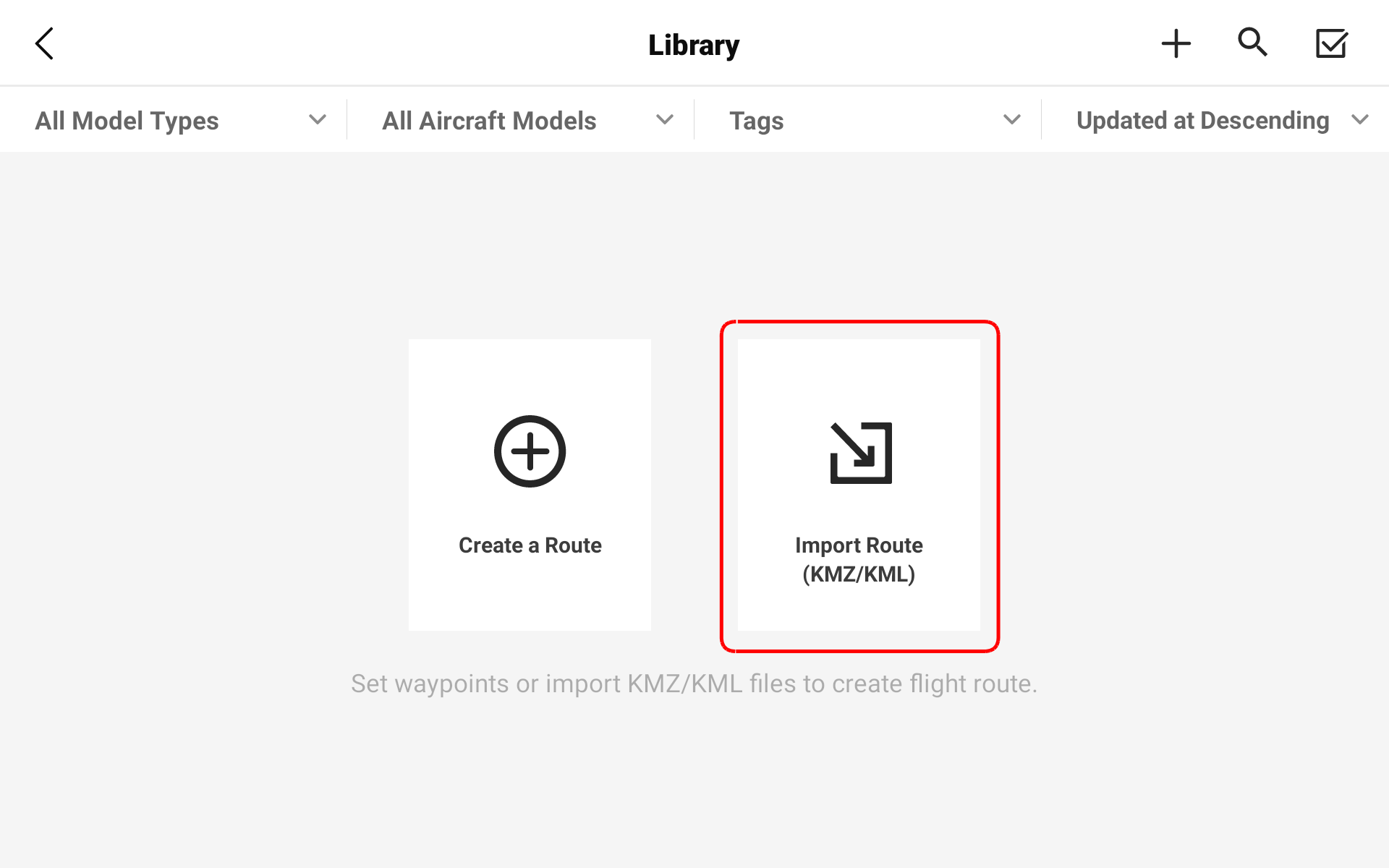
Select the "Import Route (KMZ/KMZ)" option;
-
Navigate to the directory with the required route and select it. Click the confirm button;
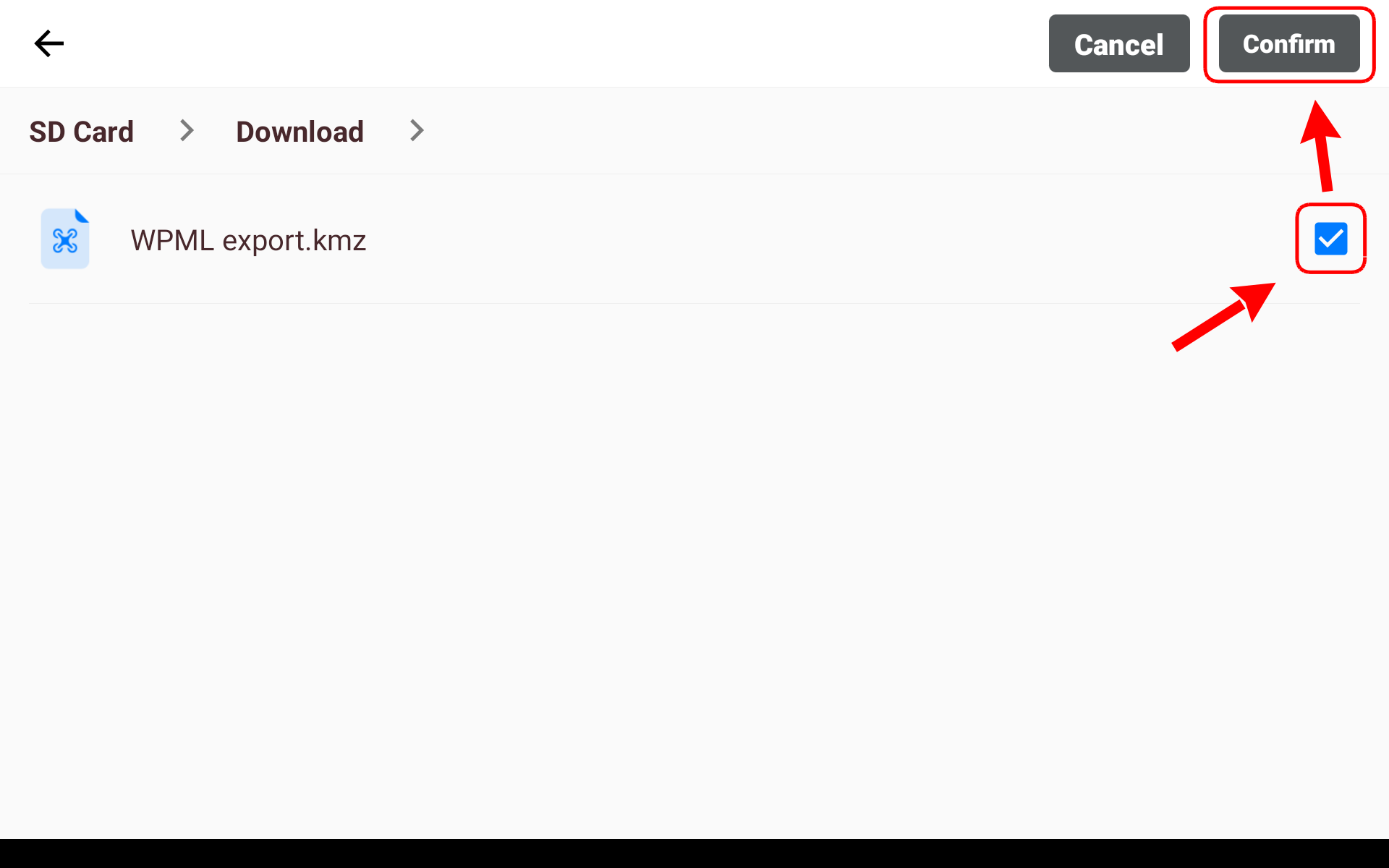
-
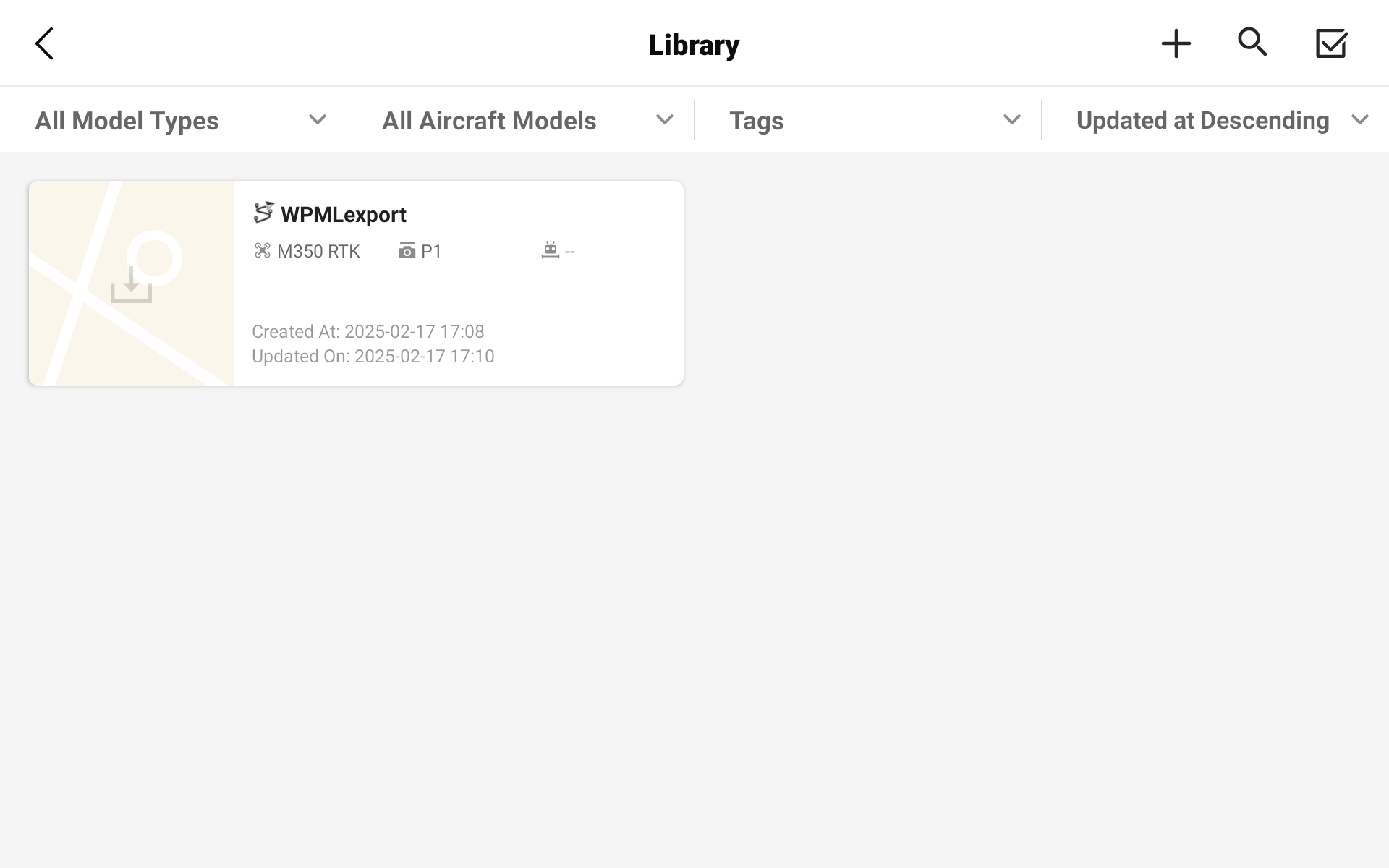
Your route is now saved to the DJI Pilot 2 library.
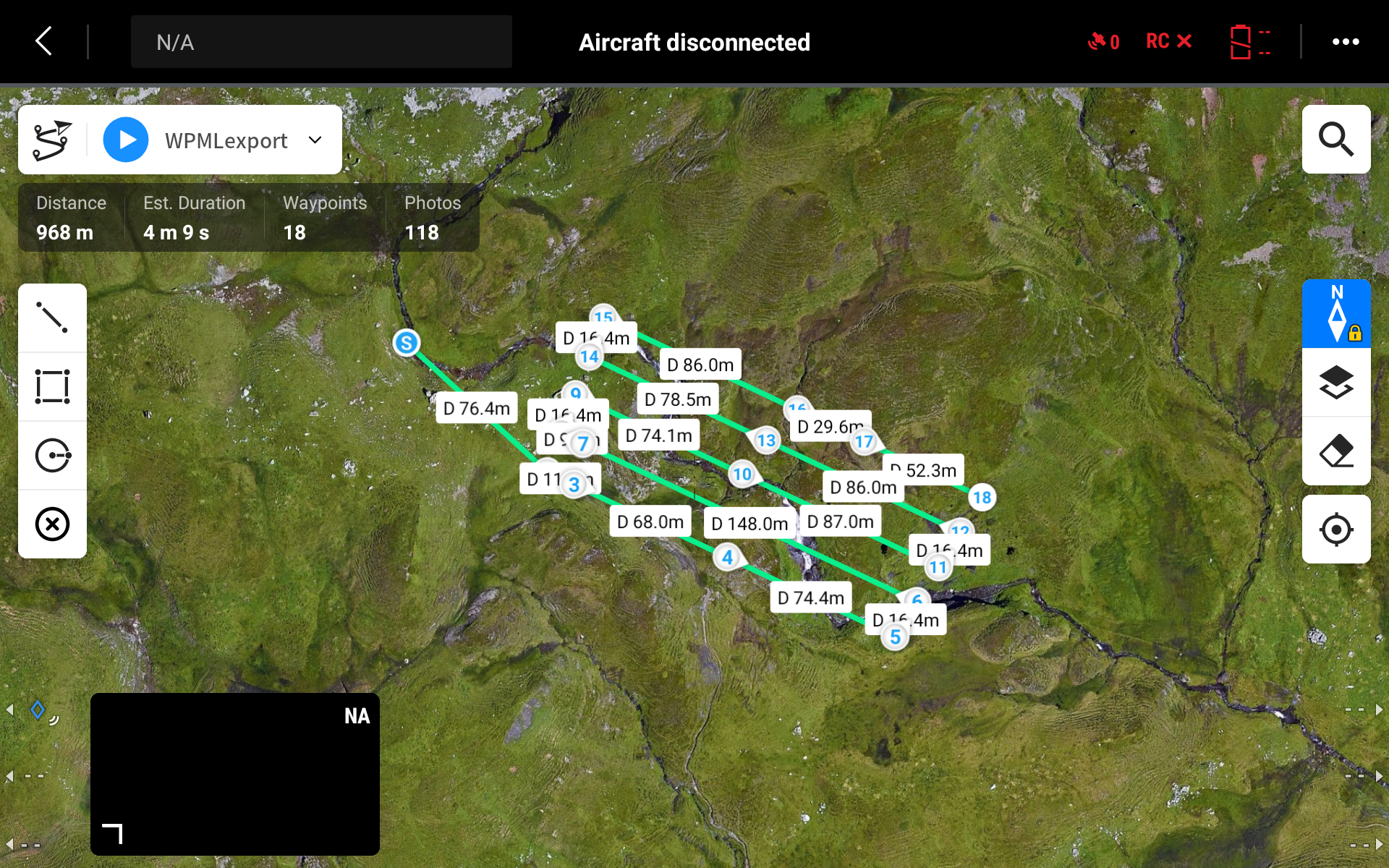
This video demonstrates the entire process:
Updated 9 months ago