
License activation/deactivation
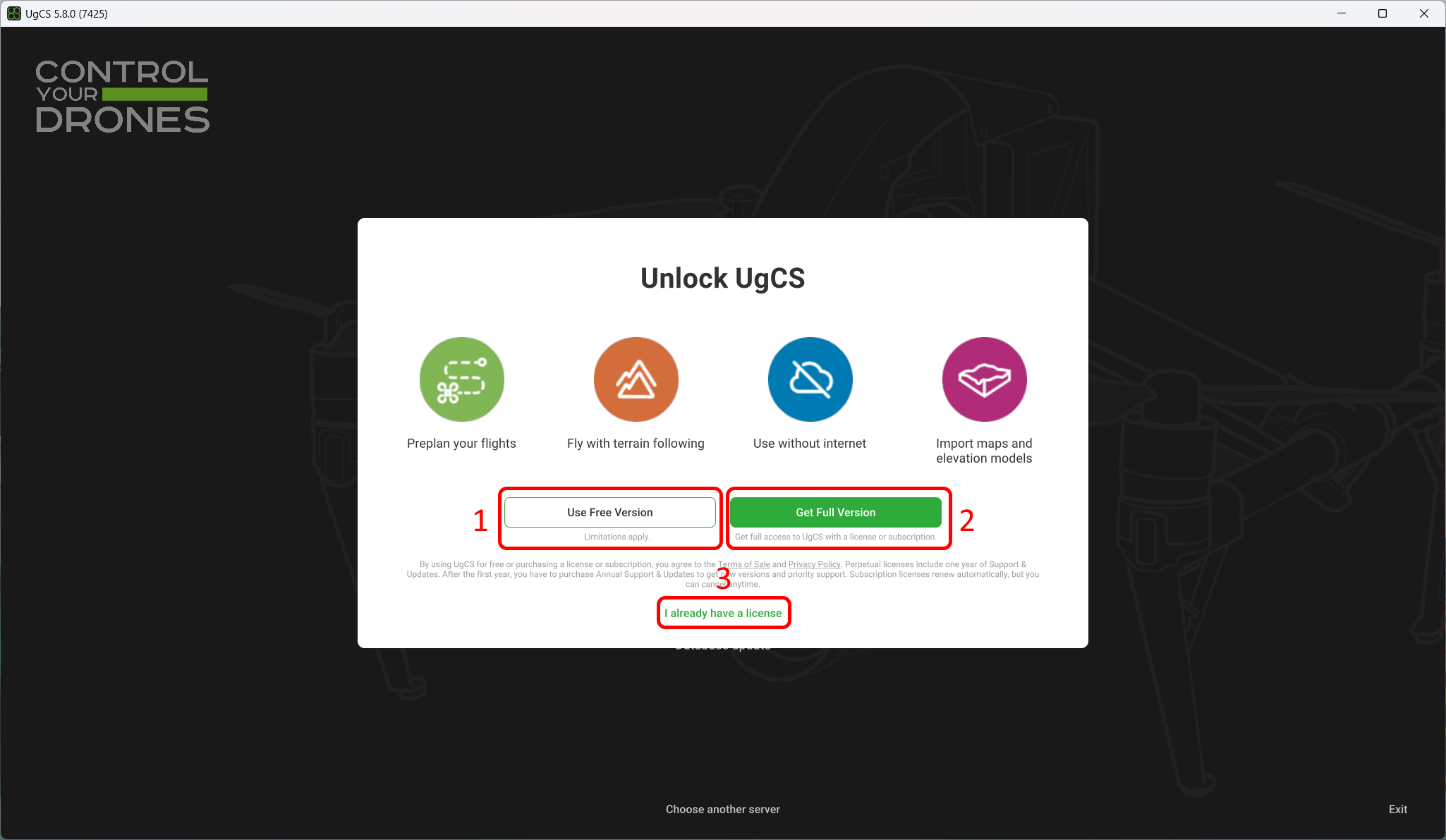
TRIAL window
Upon installation and launch of UgCS, a UgCS Unlock window will display on the main screen with several options:
- Use Free Version - This will guide you through the free activation process. This version has limited functionality:
- Uploading routes to vehicles and exporting routes as separate files are limited to two per day.
- The maximum radius of the route should not exceed 250 meters.
- It is only possible to create two missions;
- The DJI Pilot 2 Cloud connection is impossible.
- Get Full Version - This button redirects to the UgCS online shop page for Subscription or Perpetual License buying.
- I already have a license - Allows activating the full functionality of UgCS if you already have the activation code.
The activation code of the UgCS license will be sent via e-mail, after a successful purchase at shop.ugcs.com.
License Activation
To activate the UgCS license, select the License icon and enter/paste the activation code from the e-mail.
Click “Activate” – the license status will change to “Activated”.
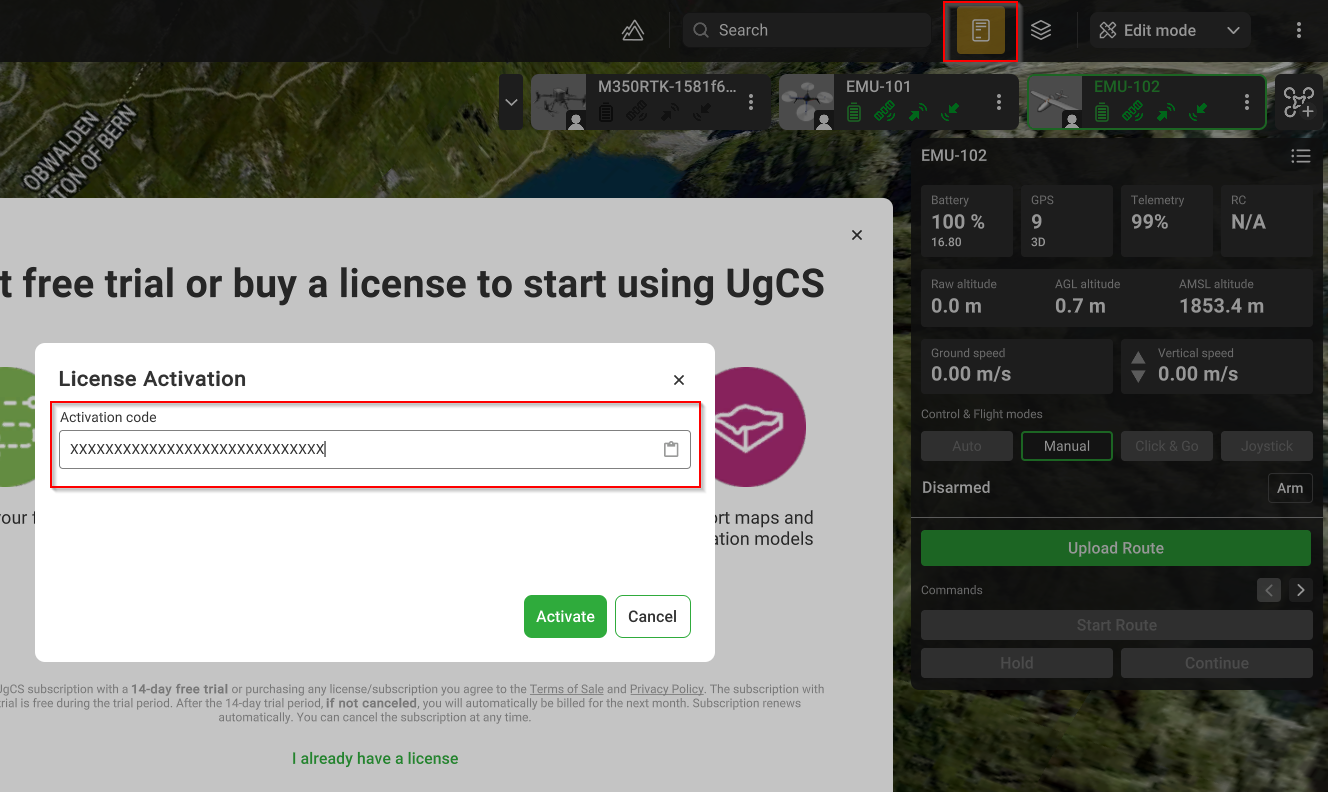
License activation window
License Deactivation
To deactivate the UgCS license, select the License icon and click “Deactivate”.
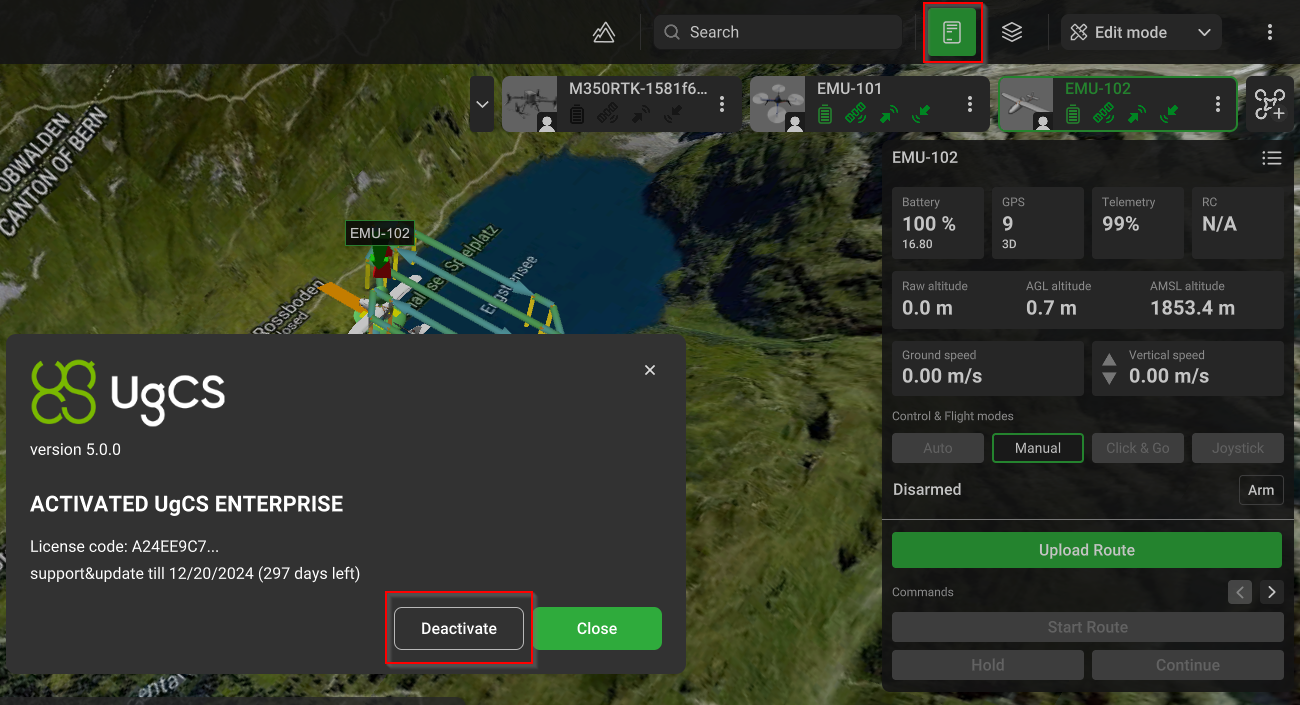
License deactivation window
For assistance, please contact [email protected].
Updated 9 months ago
Did this page help you?